 CJ van den Berg
39b482b2e0
CJ van den Berg
39b482b2e0

Implements milestone 2 of the wio+sokol_gfx cross-platform GUI renderer: - build.zig.zon: add wio and sokol-zig as lazy path dependencies - build.zig: wire -Drenderer=gui - creates modules for gpu, app, and the stub rasterizer; links sokol_clib against system GL/X11/Xi/Xcursor/ALSA (requires: libgl-dev libx11-dev libxi-dev libxcursor-dev libasound2-dev) - src/gui/gpu/builtin.glsl.zig: hand-crafted GLCORE ShaderDesc with a full-screen-quad vertex stage and a cell-grid fragment stage; Y-flip via row_count*cell_size_y; FsParams as 4 INT uniforms; RGBA32UI cell texture and R8 glyph-atlas texture with NONFILTERING samplers - src/gui/gpu/gpu.zig: sokol_gfx backend mirroring the d3d11 backend; TRIANGLE_STRIP pipeline, CPU-side glyph atlas shadow, per-frame cell texture update via sg.updateImage - src/gui/rasterizer/stub.zig: blank-glyph stub rasterizer for M2 testing - src/gui/wio/app.zig: wio event loop + thespian bridge; creates a core OpenGL 3.3 context, calls sg.setup/gpu.init, sends RDR messages for WindowCreated/Resize/keyboard/mouse events, renders on screen_pending - src/gui/wio/input.zig: wio Button → Flow codepoint/mouse-button mapping - src/renderer/gui/renderer.zig: standard renderer interface consumed by tui.zig; dispatches RDR events, delegates font/cursor/clipboard to app |
||
|---|---|---|
| contrib | ||
| src | ||
| test | ||
| .gitattributes | ||
| .gitignore | ||
| build.zig | ||
| build.zig.zon | ||
| help.md | ||
| LICENSE | ||
| README.md | ||
Flow Control: a programmer's text editor
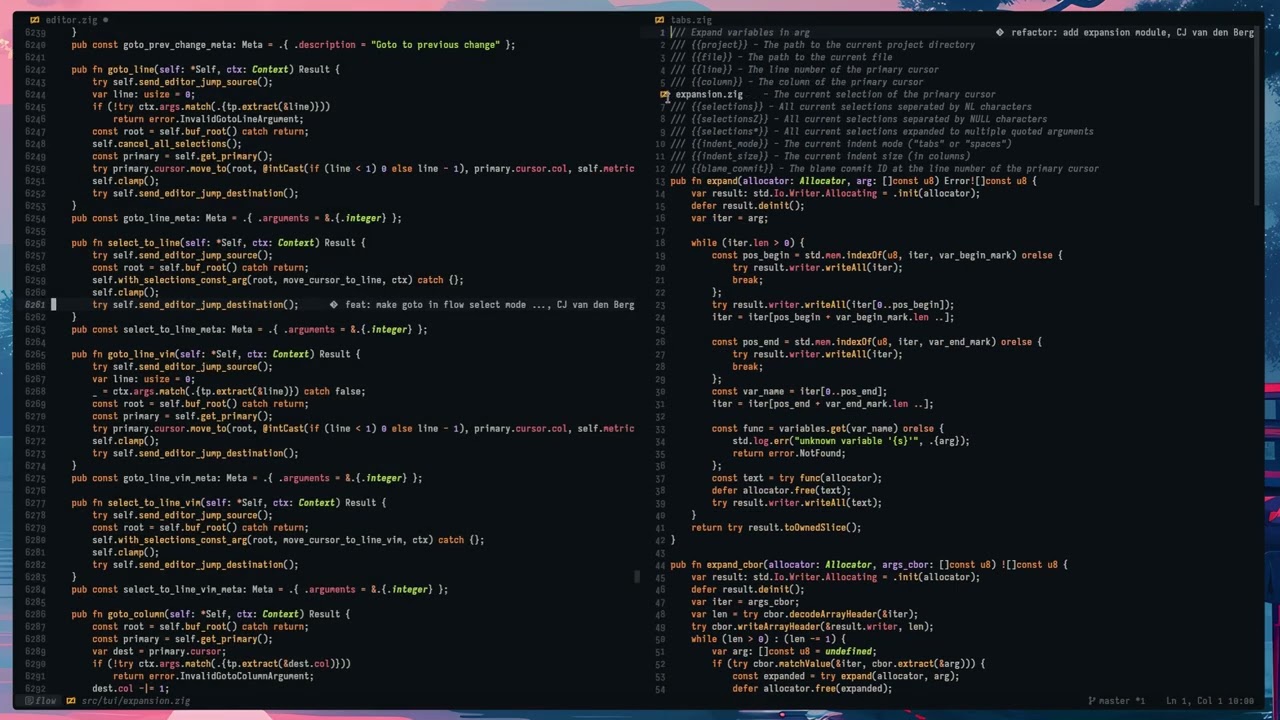
This is my Zig text editor. It is under active development, but very stable and is my daily driver for almost everything.
Features
- Lightning Fast TUI with ≤6ms frame times, low latency input handling and smooth animated scrolling
- Intuitive UI with tabs, scrollbars and palettes with full mouse support for all UI elements
- Support for more than 70 programming languages, zero configuration needed, via tree-sitter powered syntax highlighting
- Language Server Protocol pre configured support for most language servers
- Powerful multi-cursor editing and integrated clipboard history
- Powerful configurable keybinding system that supports modal and non-modal editing styles
- Multiple pre-configured keybinding modes
- Flow Control - GUI IDE style bindings (similar to vscode)
- Emacs
- Vim
- Helix
- User created
- Hybrid rope/piece-table buffer system, edit very large files with thousands of cursors
- Infinite undo (at least until you run out of ram)
- Full unicode support, including support for the kitty text sizing protocol
- Plenty of themes included and support for vscode themes via the flow-themes project
- Runs on Linux, FreeBSD, MacOS, Windows and Android (under termux) with easy cross-compilation to all supported targets
Requirements
- A modern terminal with 24bit color and, ideally, kitty keyboard protocol support. Kitty, Foot and Ghostty are the recommended terminals at this time. Zellij also works well. Most other terminals will work, but likely with reduced functionality.
- NerdFont support. Either via terminal font fallback or a patched font.
- A UTF-8 locale
Roadmap
See our devlog for on-going updates from the development team.
In Development
- LSP completion support
- Persistent undo/redo
- File watcher integration
Future
- Collaborative editing
- Plugin system
- Multi-terminal sessions
Download / Install
There is an installation guide on the main website, and source, release and nightly build binary downloads.
Or check your favorite local system package repository.

Building
Make sure your system meets the requirements listed above.
Flow builds with zig 0.15.2 at this time. Build with:
zig build -Doptimize=ReleaseSafe
Zig will by default build a binary optimized for your specific CPU. If you
get illegal instruction errors add -Dcpu=baseline to the build command to
produce a binary with generic CPU support.
Thanks to Zig you may also cross-compile from any host to pretty much any target. For example:
zig build -Doptimize=ReleaseSafe -Dtarget=x86_64-windows --prefix zig-out/x86_64-windows
zig build -Doptimize=ReleaseSafe -Dtarget=x86_64-macos-none --prefix zig-out/x86_64-macos
zig build -Doptimize=ReleaseSafe -Dtarget=aarch64-linux-musl --prefix zig-out/aarch64-linux
When cross-compiling zig will build a binary with generic CPU support.
The output binary is:
zig-out/bin/flow
It is statically built (by default) and contains all the required tree-sitter parsers and queries. No additional runtime files are required.
Running Flow Control
The Flow Control binary is called flow.
Place it in your path for convenient access:
sudo cp zig-out/bin/flow /usr/local/bin
Or if you prefer, let zig install it in your home directory:
zig build -Doptimize=ReleaseSafe --prefix ~/.local
Flow Control is a single statically linked binary. No further runtime files are required. You may install it on another system by simply copying the binary.
scp zig-out/bin/flow root@otherhost:/usr/local/bin
Files to load may be specifed on the command line:
flow fileA.zig fileB.zig
The last file will be opened and the previous files will be placed in reverse order at the top of the recent files list. Switch to recent files with Ctrl-e.
Common target line specifiers are supported too:
flow file.txt:123
Or Vim style:
flow file.txt +123
Use the --language option to force the file type of a file:
flow --language bash ~/.bash_profile
Show supported language names with --list-languages.
See flow --help for the full list of command line options.
Documentation
User manual
A basic user manual is available inside flow. You can open it with the
Open help command (F1).
It is also available in the website documentation section.
Development Resources
Additional developer resources can be found on the Flow Control website at.
There is also an AI generated developer guide at
 .
Accuracy may vary. Check details against the referenced source code.
.
Accuracy may vary. Check details against the referenced source code.
Configuration
Configuration is mostly dynamically maintained with various commands in the
UI. It is stored under the standard user configuration path. Usually
~/.config/flow on Linux. %APPDATA%\Roaming\flow on Windows. Somewhere
magical on MacOS.
There are commands to open the various configuration files, so you don't
have to manually find them. Look for commands starting with Edit in the
command palette.
File types may be configured with the Edit file type configuration
command. You can also create a new file type by adding a new .conf file
to the file_type directory. Have a look at an existing file type to see
what options are available.
Logs, traces and per-project most recently used file lists are stored in
the standard user application state directory. Usually
~/.local/state/flow on Linux and %APPDATA%\Roaming\flow on Windows.
Key bindings and commands
Press F1 to view the online manual.
Press F4 to switch the current keybinding mode. (flow, vim, emacs, etc.)
Press ctrl+shift+p or alt+x to show the command palette.
Press ctrl+F2 to see a full list of all current keybindings and commands.
Run the Edit keybindings command to save the current keybinding mode to a
file and open it for editing. Save your customized keybinds under a new
name in the same directory to create an entirely new keybinding mode.
Keybinding changes will take effect on restart.
Terminal configuration
Kitty, Ghostty and most other terminals have default keybindings that conflict with common editor commands. I highly recommend rebinding them to keys that are not generally used anywhere else.
For Kitty rebinding kitty_mod is usually enough:
kitty_mod ctrl+alt
For Ghostty each conflicting binding has to be reconfigured individually.
Community

Join our Discord server or use the discussions section here on GitHub to meet with other Flow users!